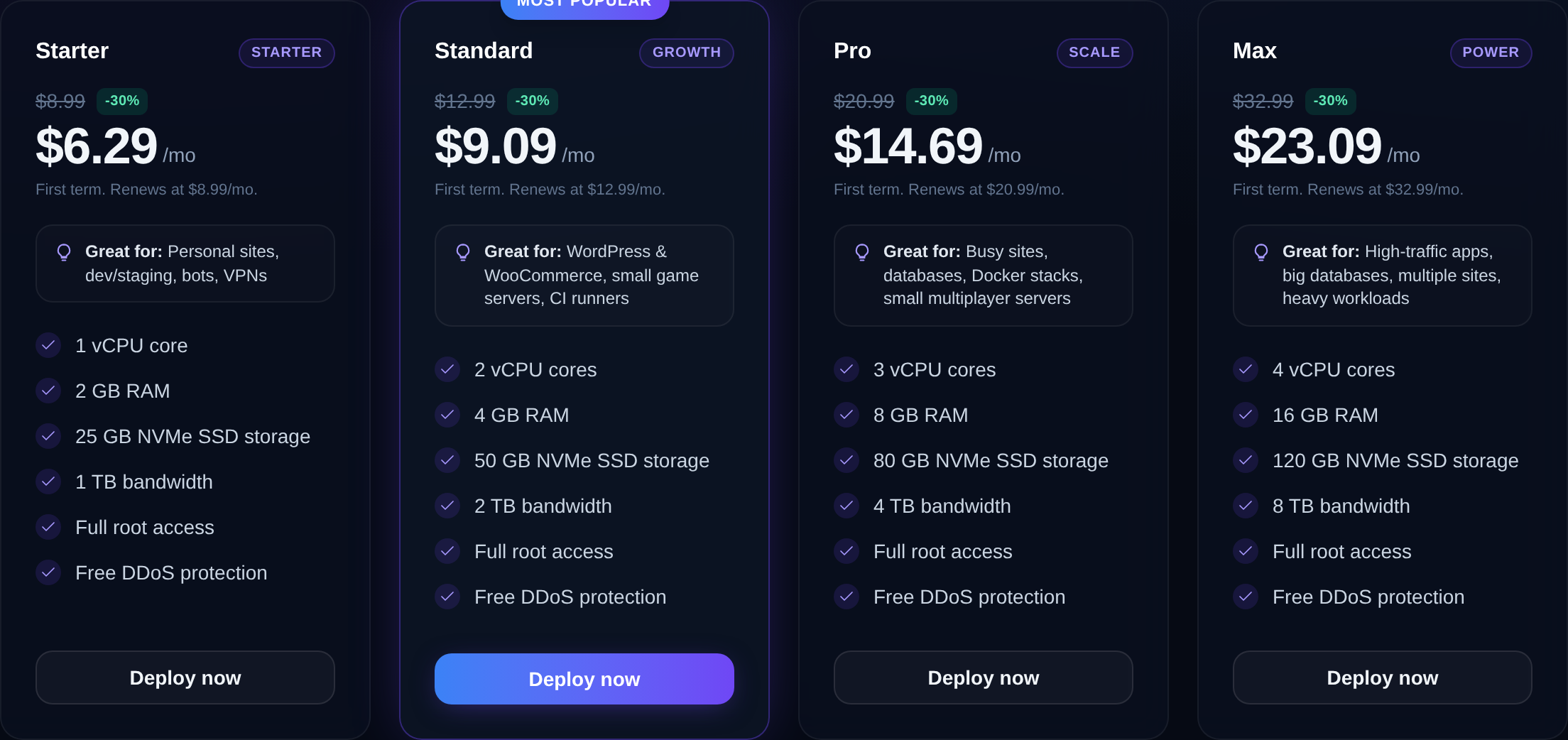
A VPS gives you a private slice of a powerful server — full root access, guaranteed resources, and your own OS — for far less than a dedicated machine. Here's how it works.
A VPS — Virtual Private Server — is your own isolated slice of a physical server. One powerful machine is split by a hypervisor into several independent virtual servers, and each one behaves like a dedicated computer: its own operating system, its own users, its own IP address, and a guaranteed share of CPU, RAM and disk.
How virtualization works
The host machine runs a hypervisor (KVM is the industry standard, and what Nxeon uses). The hypervisor carves the hardware into virtual machines. Each VM thinks it owns real hardware — it boots its own Linux kernel, mounts its own disk, and can be rebooted or reinstalled without touching its neighbors.
Crucially, resources are *reserved*, not merely shared. If your plan says 4 GB of RAM, that memory is yours. A busy neighbor cannot eat into it — a problem that plagues cheap shared hosting.
What "full root access" gives you
On a VPS you get the root account, the system administrator. That means you can:
- Install any software: databases, language runtimes, Docker, custom binaries.
- Open and close network ports and configure your own firewall.
- Tune the kernel, mount extra storage, or run background services.
- Reinstall the whole operating system whenever you want.
Shared hosting hides all of this behind a control panel. A VPS hands you the keys.
A quick anatomy
When you order a VPS you'll pick a few things:
- vCPU — virtual processor cores. More cores means better handling of concurrent work.
- RAM — working memory. This is usually the first thing you run out of.
- NVMe storage — fast solid-state disk. NVMe drives are many times faster than the SATA SSDs older hosts still use, which makes databases and file operations snappy.
- Bandwidth — how much data you can transfer each month.
- An operating system image — Ubuntu, Debian, AlmaLinux, Rocky and so on.
When is a VPS the right choice?
A VPS is the sweet spot for anyone who has outgrown shared hosting but does not need a whole physical server. Common uses:
- Hosting one or many websites with full control over the stack.
- Running a web app (Node.js, Python, PHP, Go) with its own database.
- Self-hosting tools like Nextcloud, a Git server, or a VPN.
- Development and staging environments.
- Bots, scrapers, cron jobs, and background workers.
VPS vs the alternatives, in one line each
- Shared hosting — cheapest, but you share everything and get no root. Fine for a small brochure site.
- VPS — private, root access, guaranteed resources, great price-to-power ratio.
- Dedicated server — a whole physical machine; maximum power, maximum cost.
- Cloud — a VPS you can spin up, resize and destroy on demand, billed by usage.
Getting started
With Nxeon, a VPS deploys in about a minute on NVMe storage with full root access and one-click OS images (Ubuntu, Debian, AlmaLinux, Rocky). You can also pick a dedicated IP and, if you'd rather not touch the command line, a one-click control panel like CyberPanel or HestiaCP.
Once it's live, you connect over SSH:
ssh root@YOUR_SERVER_IPFrom there the server is entirely yours. The rest of this blog walks through securing it, hosting websites and apps, and keeping it fast — but the core idea is simple: a VPS is a real server you fully control, at a fraction of the price of owning the hardware.
Cloud VPS hosting
Deploy in seconds, not weekends
Nxeon · Nxeon editorial
★★★★★ Straight-talking guides from the team that runs the servers.